
Statotech POS · For Zimbabwean shopsWhen the power cuts, the till keeps ringing.
A point of sale built for Zimbabwean shops. Ring up sales in US dollars and ZiG, split a basket across EcoCash and cash, print a ZIMRA-ready receipt, and carry on selling when the network drops.
Working a till? Sign in with your PIN
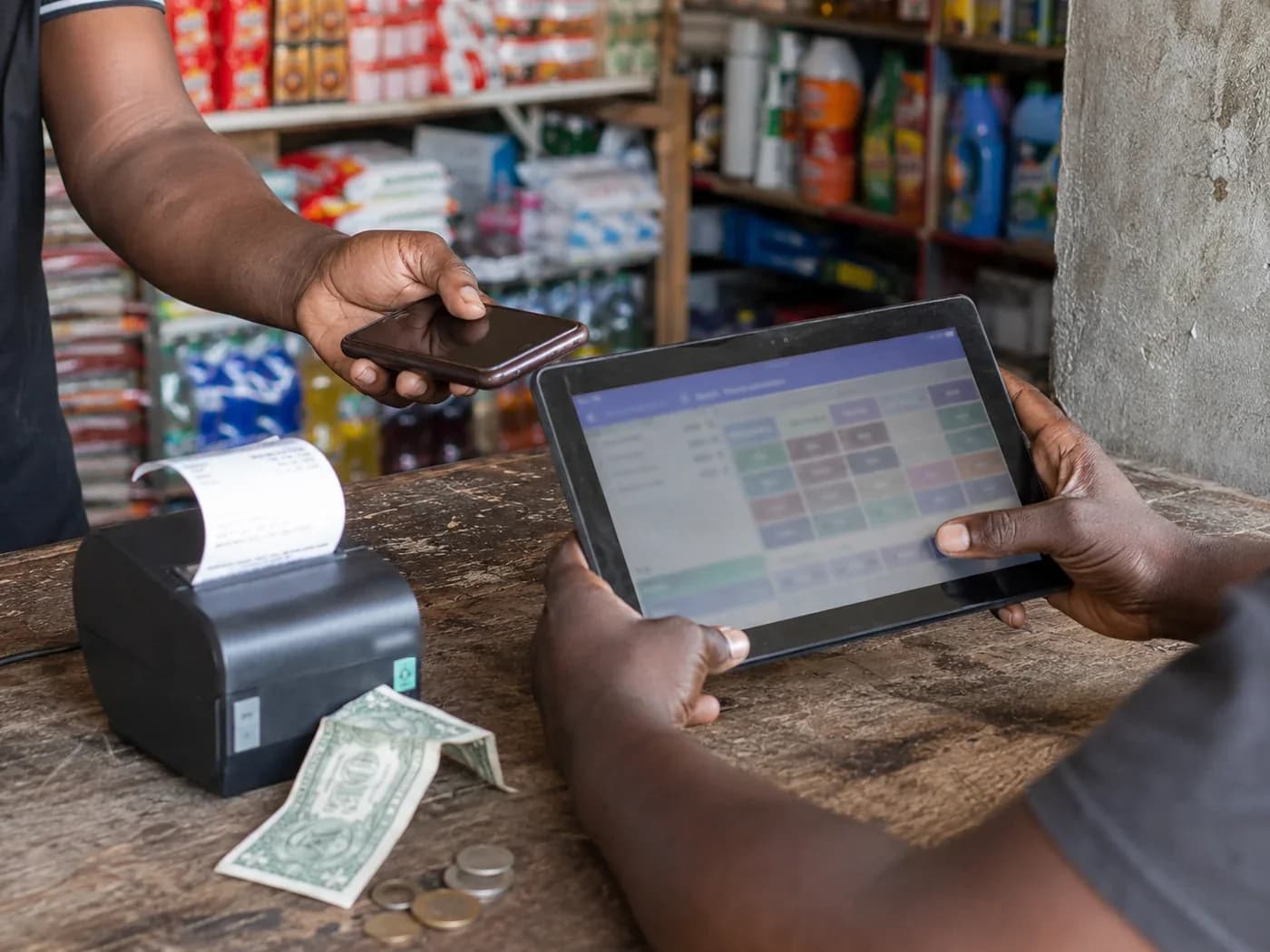
Works offline
Keep selling when the network or the power goes.
USD & ZiG
Every total carries both currencies, side by side.

Mobile money
EcoCash, OneMoney, InnBucks, O'mari or Smile Cash, alone or split with cash.
ZIMRA ready
TIN, VAT and the currency split on every slip.
How it works
From sign-up to first sale in an afternoon.
Nothing to install and no hardware to buy. Three steps, and the counter is selling.
Create your shop- 1Step 01
Create your shop
Sign up with a Statotech account, name the shop and say what you sell. We suggest products and tax settings to start from.
- 2Step 02
Add your products
Type them in, scan barcodes with the phone's camera, or import a spreadsheet of up to 500 at a time.
- 3Step 03
Start selling
Open the till on any phone, tablet or laptop. Each cashier signs in with their own PIN. Nothing to install.
01—The till
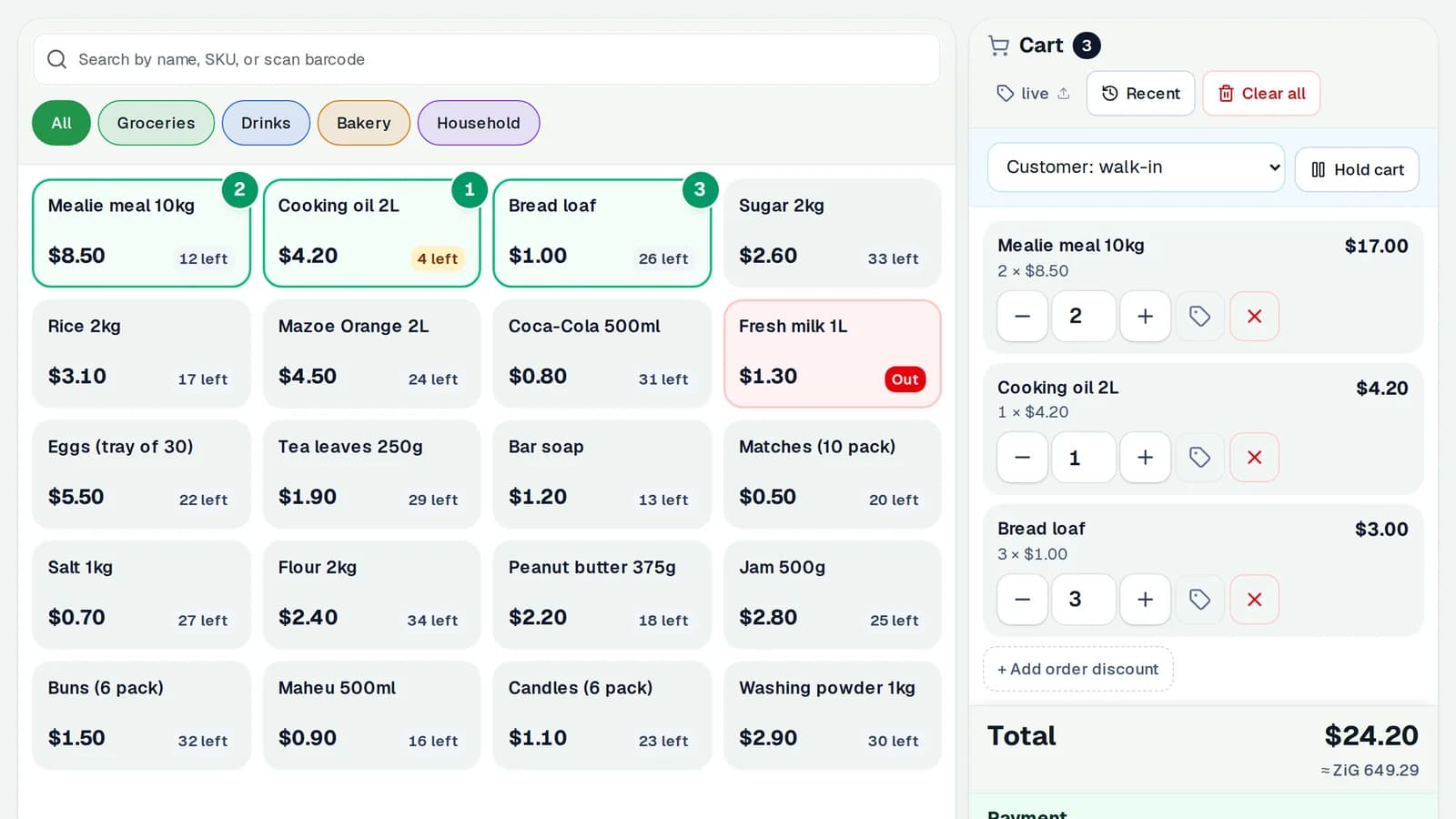
Ring up a basket in seconds.
Tap a tile or scan a barcode. Every total shows in US dollars and ZiG, and one basket can be paid part cash, part EcoCash.
- Keeps selling with no network or power — sales are saved on the device first
- Uploads on its own the moment the connection is back
- Cash, EcoCash, OneMoney, InnBucks, O'mari, Smile Cash, card or credit, split any way
02—The dashboard
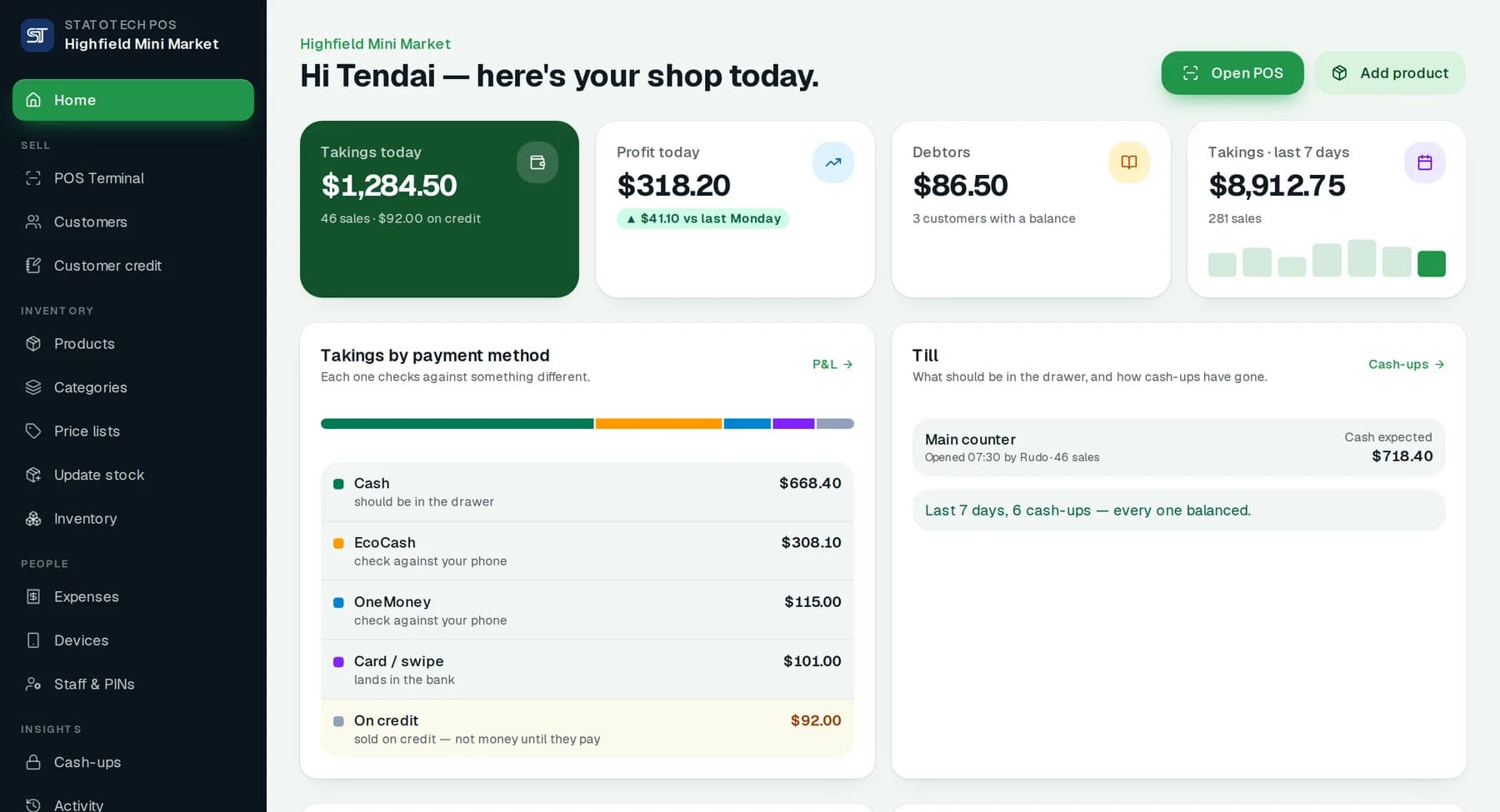
See what the day did.
Takings by payment method, profit after stock cost, who owes you and what is running low — on one screen, from anywhere.
- Each payment method checked against the drawer, the phone or the bank
- Cash-ups that show short or over, shift by shift
- Sales, profit and tax reports you can export
03—Stock
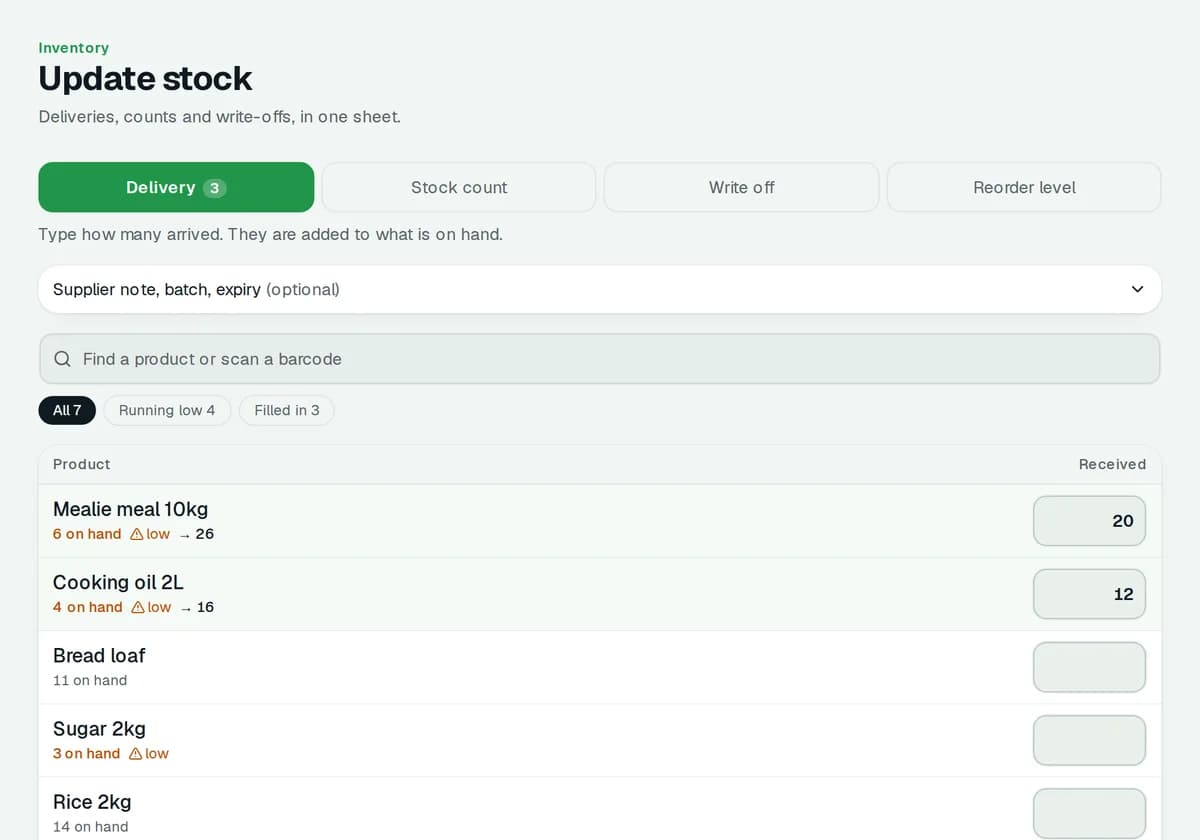
Stock that keeps itself straight.
Every sale draws stock down. Book in a delivery, run a count or write off breakages from one sheet, on a phone at the shelf.
- Low-stock warnings at the level you choose
- Batches and expiry dates, flagged before they go off
- Cashiers can book in a delivery from the till
Built for Zimbabwe
Built for Zimbabwean
shops.
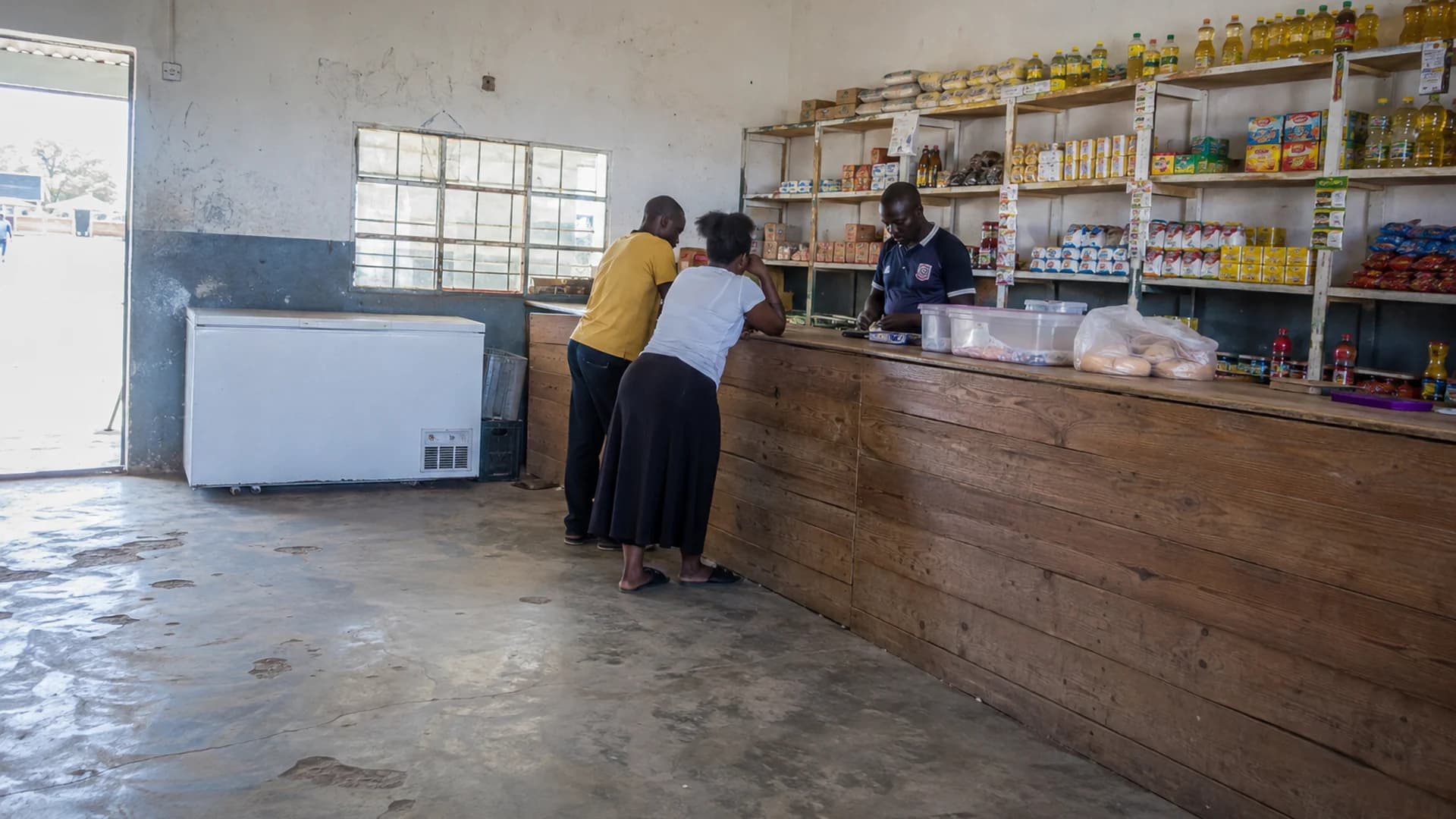
Local currency, local payment methods, local tax rules — and support in the same time zone. Not a foreign till bent into shape. Dual USD and ZiG on every line and every slip, at the rate you set, and receipts a ZIMRA inspector will accept.
- Based in
- Harare
- Sells in
- USD + ZiG
- Receipts
- ZIMRA-ready
Takes




- Cash
Open your till today.
Free to start. Nothing to install and no hardware to buy — if the counter has a tablet, a phone or an old laptop, you have a till.
Create your shop